JAB Media Services.com
John Albert Burnham
Independent Artist
3D Generalist / Illustration / Digital Content Creator
Technical Training / Corporate Support Graphics Preferred
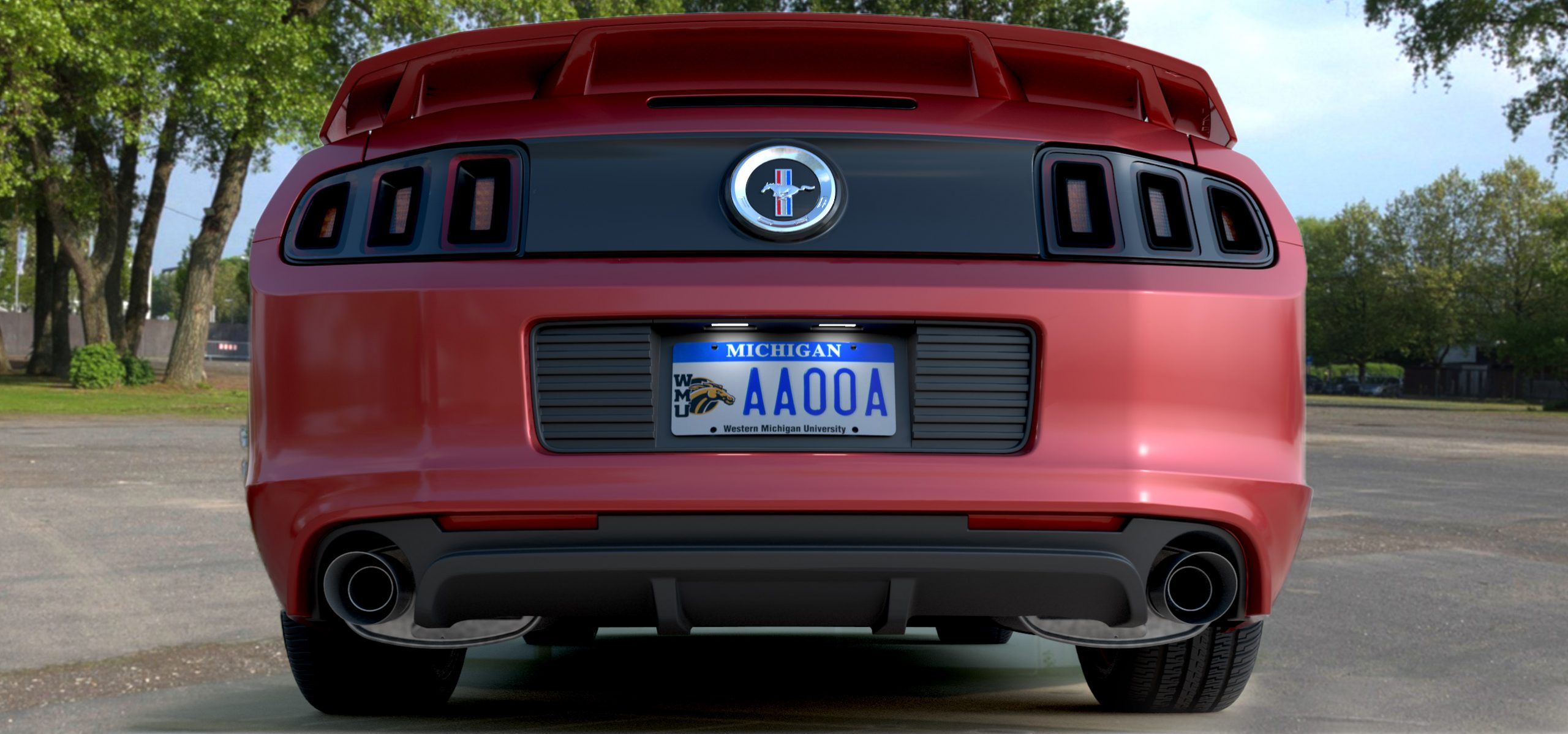
Rendered: Maya/Arnold
Last Updated: 1.8.26
Work Status: Available for work
Desired work: Illustration / Animation
Emp type: Freelance / Contract
Env type: Remote or Onsite (locally)
Hourly Rate: Negotiable
Click Here
To open an additional page of personal information
and work history about John Albert Burnham.
Graphics / Animation / Video / Audio
Services I offer and the Software I use
(bolded software is my best knowledge)

Typical static graphic for video or desktop publishing use.
Static Graphics
Static, (non-animated) black and white or color imagery. Bitmap or vector, RGB or CMYK. Re-touched and/or color graded. Grain reduction and filtered.
Software I Utilize:
- Adobe Photoshop
- Adobe Illustrator
- CorelDraw
- PaintShop Pro

An illustration created by drawing over the top of a photo.
Illustration
Static, (non-animated) black and white (or color) vector-based imagery. Hand drawn, overlay drawn or CAD exported.
Software I Utilize:
- Adobe Illustrator
- Adobe Animate
- Any CAD engineering software with vector export
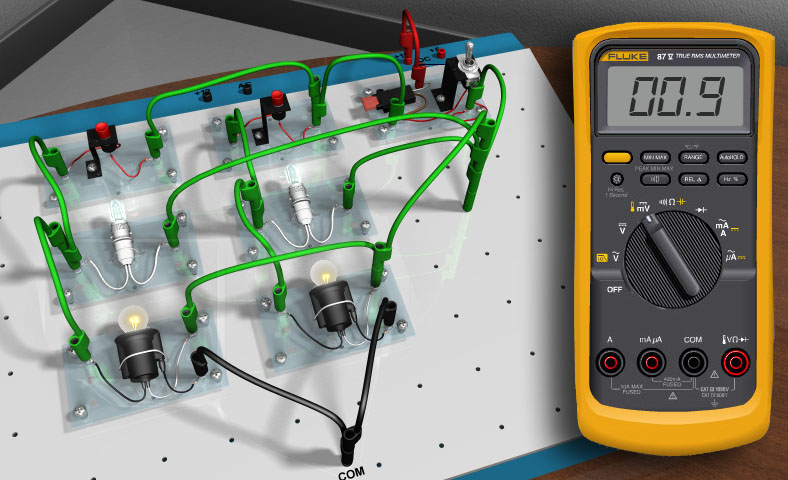
3D simulated electronics test board (General Motors)
Interactive Graphics
Typically created in Adobe Flash, the (now discontinued) software was replaced by Adobe Animate and currently, Adobe XD. Implementing HTML5 standards (instead of ActionScript 3.0) I can bring any vector art to life with motion and user interactivity.
Software I Utilize:
- Adobe Animate
- Adobe Animate
- VSCode for XML
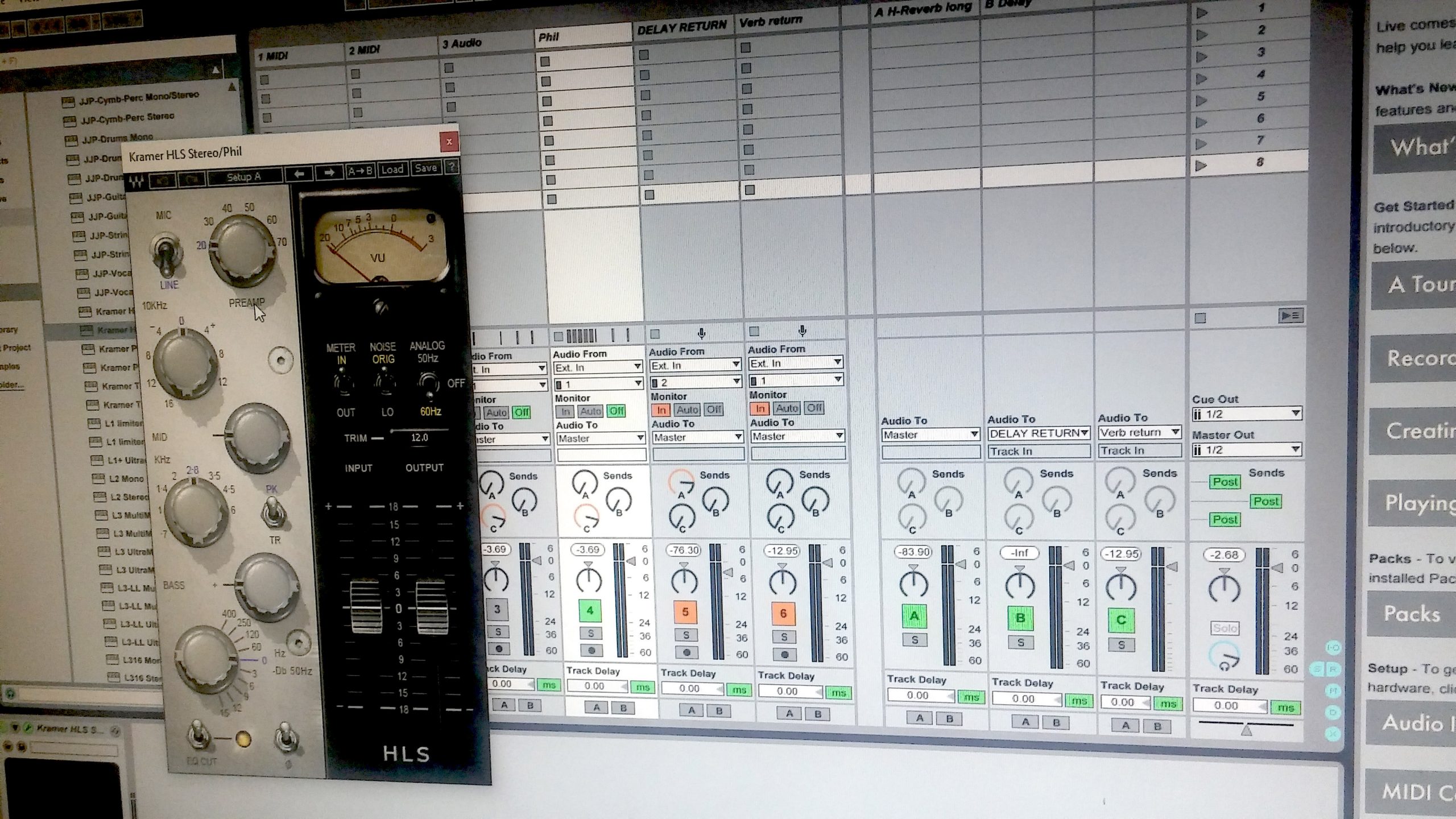
A screen grab of Ableton Live and an open plugin.
Audio (Pro-Audio)
I have countless hours on analog gear (too much to list), but like most audio heads I have migrated over to digital equipment. I own and use the Soundcraft rack digital mixer, theUI16. I am also comfortable with the Allen & Heath CQ 20B, Behringer X32 and XR18.
Software I Utilize:
- Ableton Live
- Adobe Audition
- Audacity (quick visual review)
- Waves plugins
- Fab Filter plugins
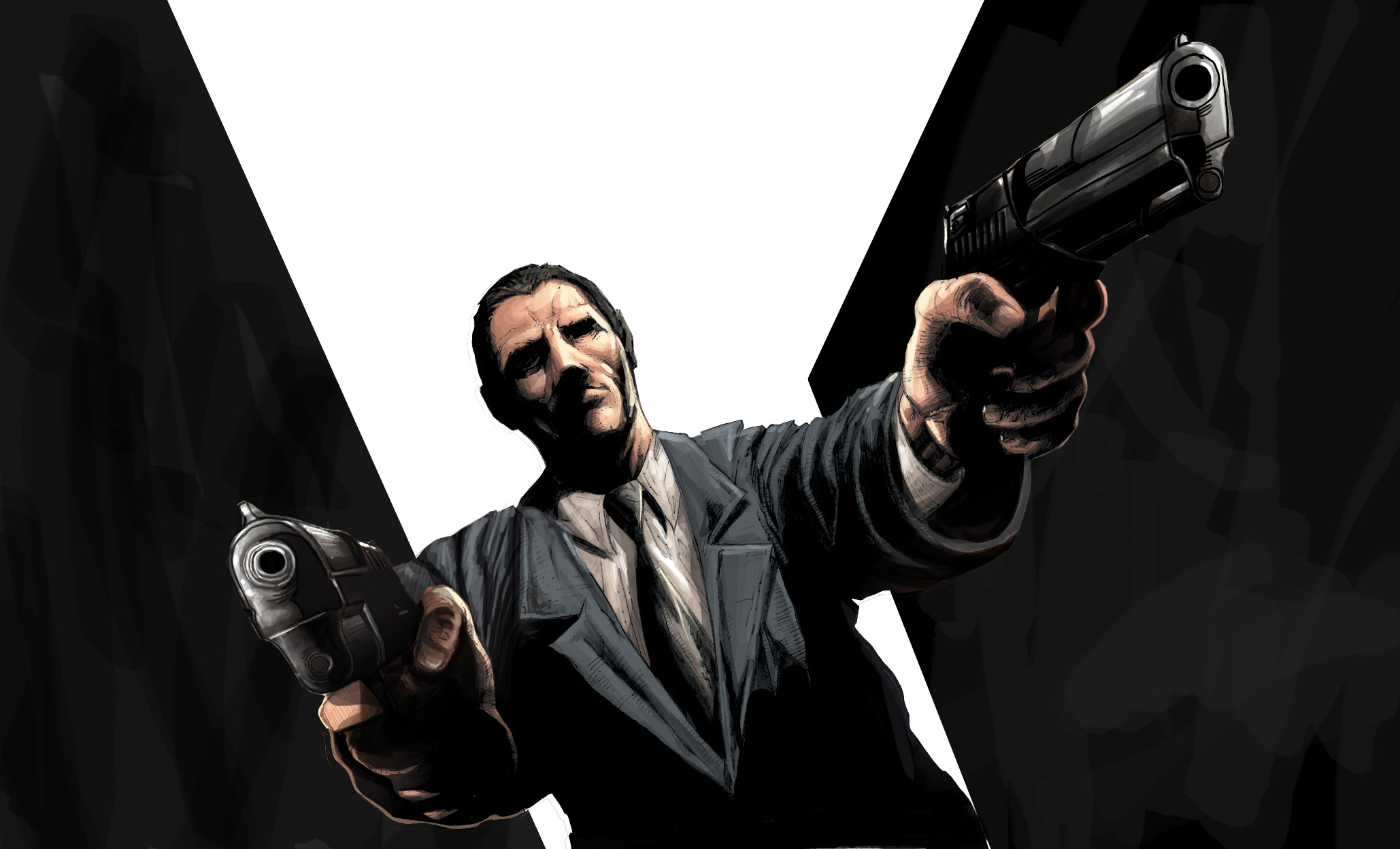
A frame of an "Anime" animation project I did in 2018.
Animation - 2D
Animations that are not true 3D in depth. A 3D looking image can be animated in a 2D environment. An environment where the Z plane is based on scale (larger or smaller) other than the thickness of an object in true space. Cartoons are a good example of 2D animations.
Software I Utilize:
- Adobe After Effects
- Adobe Animate
Wankel Engine Internals
Animation - 3D
The animated movement of an object or process in a 3-dimensional environment. Modeling, texturing, lighting and HDRI rendering environments applied to the animated objects all equate to stunning visuals.
Software I Utilize:
- Autodesk Maya
- Autodesk 3DS Max
- Luxion KeyShot Pro
- Autodesk VRED
- Substance Painter

A photorealistic car render using the Arnold renderer.
CGI - Rendering
The rendering of a 3D object or environment in such a way that it is thought to be actually real.
Software I Utilize:
- Arnold (Maya/3DS Max)
- Corona (3DS Max)
- Luxion KeyShot Pro
- Autodesk VRED
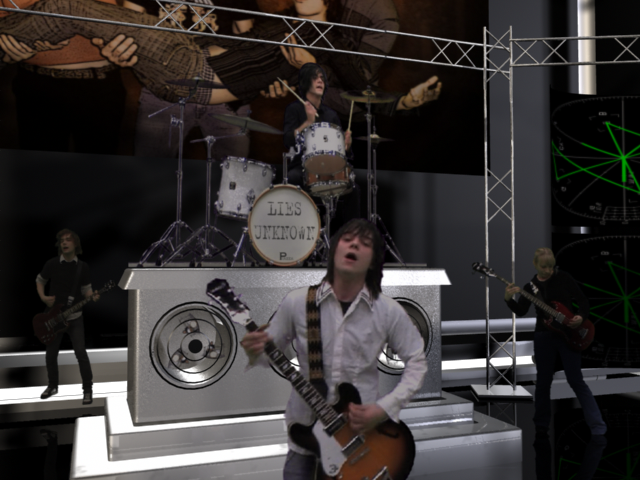
A green screen composited music video of my son's band "Lies Unknown".
Video Editing / Compositing
The amazing process of editing and assembling a wide assortment of visual assets, sandwiching them all together, rotoscoping and motion-tracking the footage, applying color correction, adding special effects and exporting a final output for streaming on the web or any other medium.
Software I Utilize:
- Adobe After Effects
- Davinci Resolve
- Boris Effects Mocha Pro
- Boris Effects Silhouette
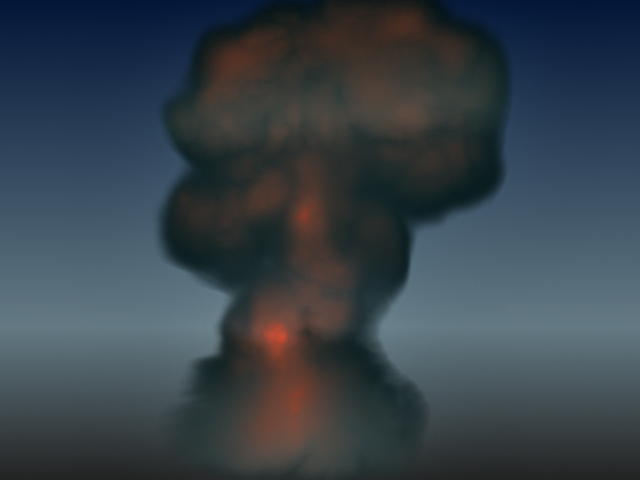
A Nuke explosion using Nparticles in Autodesk Maya.
Visual Effects
I have a good understanding (and have used) MASH, Bifrost and all the "N" based special effects offer in Maya.
Software I Utilize:
- Autodesk Maya
- Adobe After Effects
- Boris FX
- Silhouette
- Sapphire
- Continuum
- Mocha Pro
- Davinci Resolve
JAB - Previous Employers
Employers and Facts
• Digital Animation Corporation (3 years)
• The Ross Roy Group (3 years)
• Word Pictures, Inc. (10 years)
• Raytheon Production Services (5 years)
• Team Detroit, Inc. - The Park (1 year)
• Nissan - Virtual Garage (4 years)
• XMCO (1 year)
Interesting Facts About JAB
- 27-year multi-media career for the automotive/military industry
- Got into 3D animation directly out of broadcasting school
- I do not have a bachelor's degree
- 90% self-taught in all areas of my expertise
- Began my 3D career in 1988 on an 8-bit Dubner CBG2 3D computer system (Digital Animation, Corp)
- Composited the first set of 2D animated Ball-Races for the Palace of Auburn Hills Jumbotron (Detroit Pistons)
- Ran broadcast camera at the Palace of Auburn Hills (Thank you Pete Skorich)
- Began using Autodesk 3DS Max in 1998 (Word Pictures, Inc)
- Began using Autodesk Maya in 2005 (Raytheon)
- Performed data-pull for Raytheon (RPS) and again for Nissan (Virtual Garage)
- Exclusively attended meetings at the HQ of General Motors, AC Delco and SAAB (Word Pictures, Inc)
- Learned vector-based animation programs to author dozens of technical training CD-ROM programs (Word Pictures, Inc)
- Attended Las Vegas tradeshows to display our interactive titles (Word Pictures, Inc)
- Became a Flash programmer exclusively (Raytheon)
- Created a Z06 Corvette oil sump animation used in the 2010 North American Auto Show in Detroit (Raytheon)
- Utilized Team Center (multiple employers)
- Worked "on-site" during all military projects (TACOM or at XMCO)
- Obtained pro-audio experience being a musician during studio and live events
- Lifelong musician (drums/vocals)
- jabmediaservices.com DBA started in the year 2000
John Albert Burnham
313 - 296 - 2823
john.b@jabmediaservices.com
Illustration
Vector Based Images
Since 1993, I have been creating illustration images in one form or another for the automotive industry, the US military or for other business areas. Although most of my experience has been while using Adobe Illustrator, I also have a fair amount of time in with CorelDraw.
Illustrations can be created for a project from a simple verbal explanation, overlay drawings from supplied goby's (hand sketched or photo) or directly exported from a positioned camera model via CAD software.
Software
Application
Overlay Drawings
The following three examples are vector-based illustrations I created in Adobe Illustrator. By importing the reference art, drawing the edges, contours (even gradients) over the top of it will result in a final light weight line-art version of the photo or sketch that, once exported (without the reference art) the final piece can easily be imported for display on a website, printed manual or color brochure.
Illustration parameters include line weight and cap type, color style, dotted line separation distance, (LOD) level of detail and other parameters. All of which can vary per employer but is typically clearly stated in a supplied production style guide.
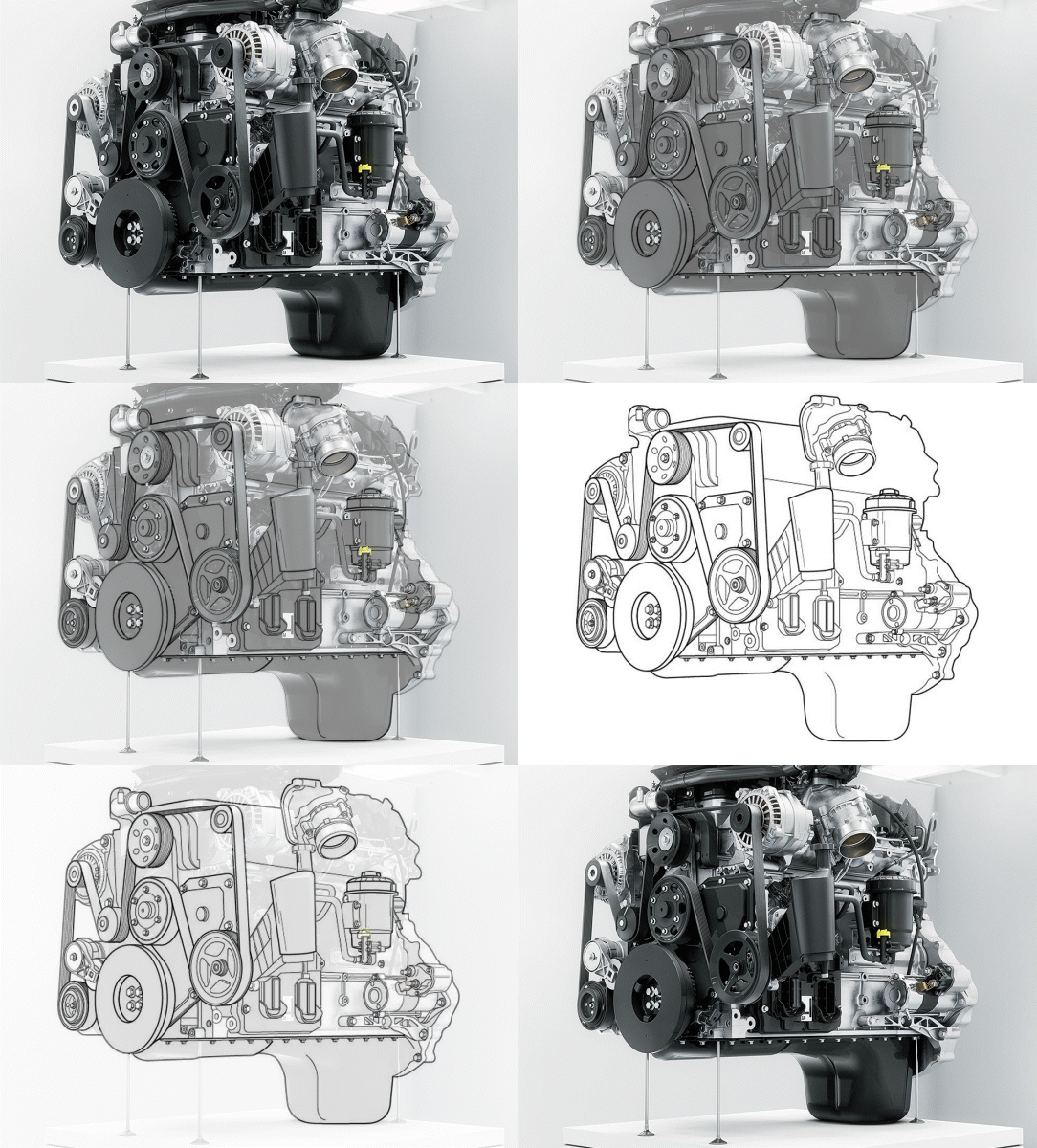
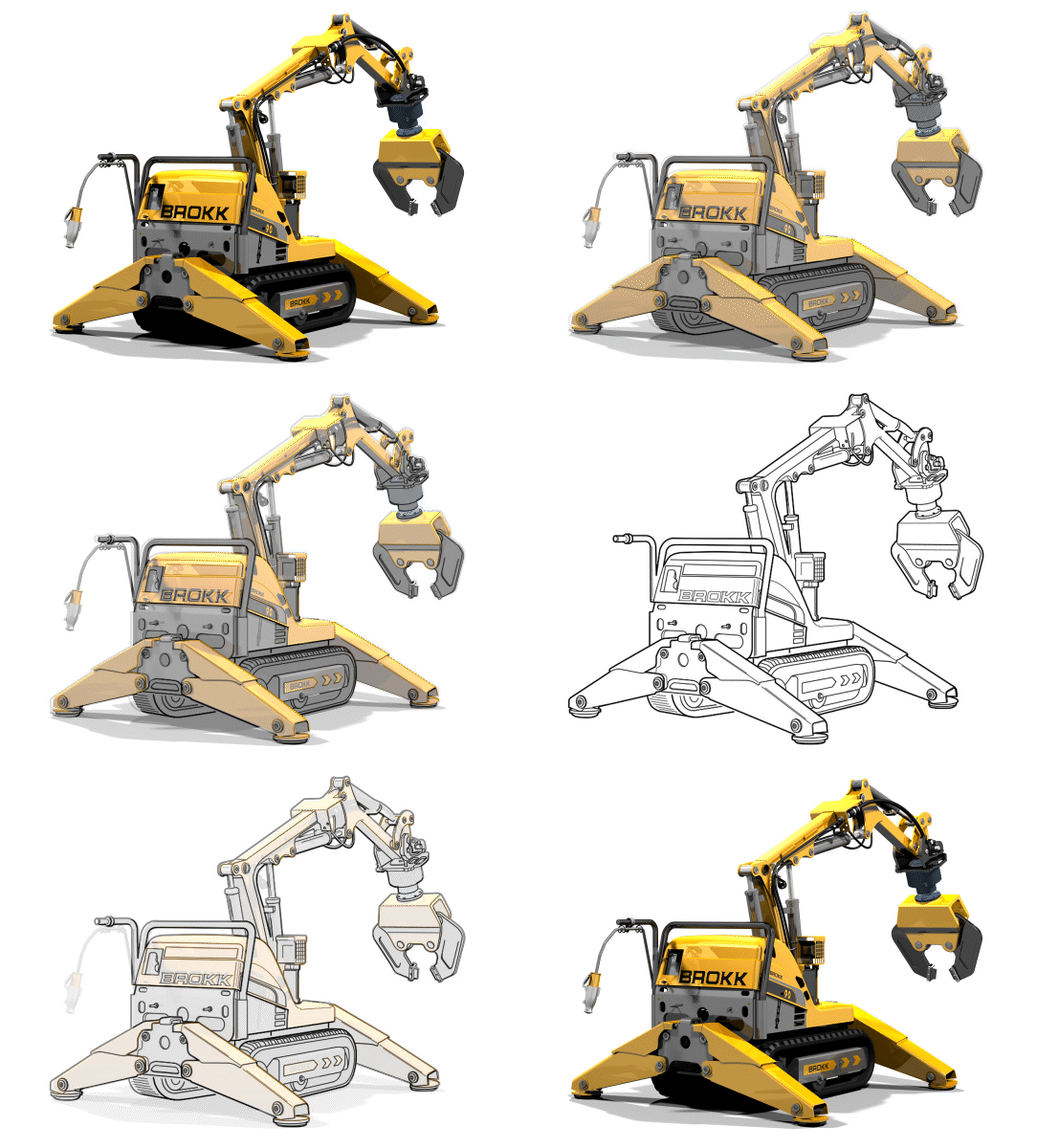

Example References: These three examples have been created by me from random images that I personally selected off the web to be my reference art (I am not aware of their original creators). Through a series of visual dissolves, these embedded gif files reveal the stages of overlay creation;
A - the refence art, B - drawing overlayed, and then C - the final black and version for export.
Electrical Schematics & Symbols
Although not required to be an illustrator, electrical knowledge is always helpful when working on any project that entails schematic drawings or circuits for continuity. I've had electrical knowledge since I was young, so I am very comfortable creating and animating electrical circuits.
Power Supply - Bridge Rectifier
Example Circuit Schematic
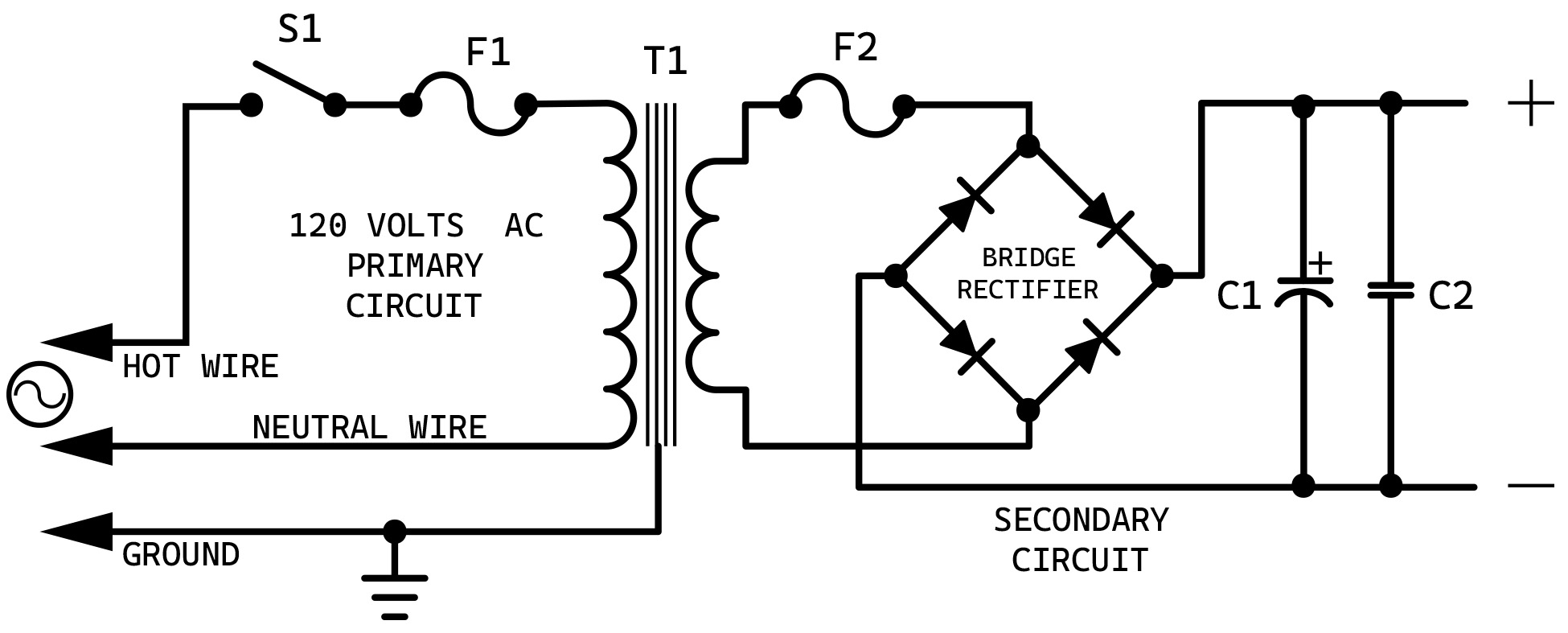
To achieve a 12VDC (direct current) output from a 120VAC (alternating current) source, a diode configuration circuit called a "bridge rectifier" is incorporated to pass only the upper portion of the reduced 12VAC sign wave thus forcing the AC signal to flow as DC. A step-down transformer reduces the voltage from 120VAC to 12VAC while a ceramic capacitor (C2) is added to smooth out the rectified current.
A pending animated version of this circuit is still to come. The example will be a demonstration of my existing "Flash" style skillset usage utilizing HTML5 (instead of Action Script 3) in Adobe Animate.
Typical Electronic
Schematic Symbols
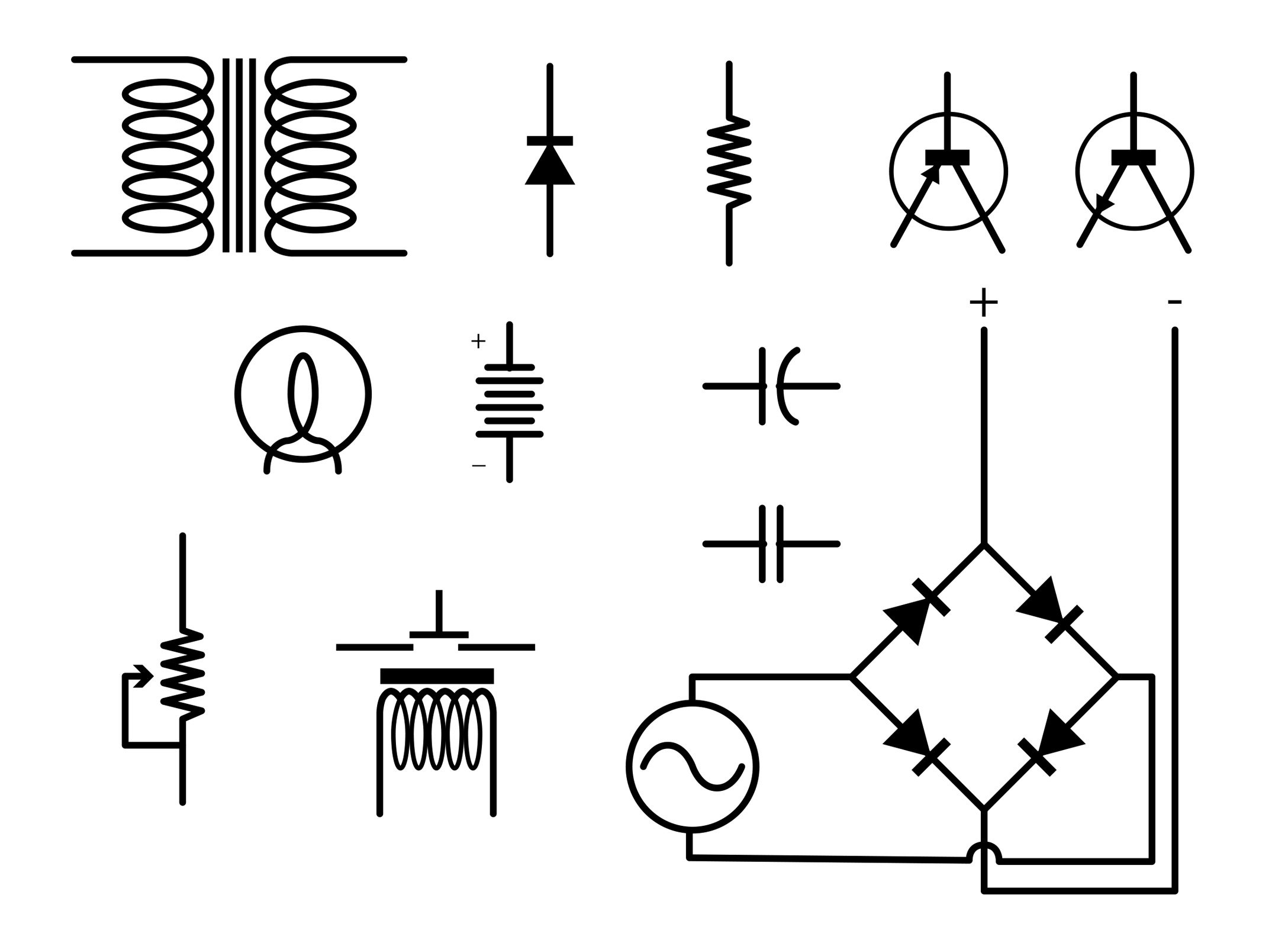
Electrical schematics are like building blueprints. They clearly show the path of electricity and the components they flow through along the way. The symbols shown above are only a handful of such symbols, but I thought it important to show my knowledge and awareness of them.
My Father: The neighborhood Television & Radio repair man
During World War II, my father was a Sergeant in the Army and a communication & electronics repair expert. After the war he started a television and radio repair service and did his work at both a shop and at home. Because of this, at a young age I was exposed to electronics and electrical test equipment such as voltmeters, oscilloscopes and tube testers. As I got older, I became technically interested in electronics and somewhat educated myself on the subject. Ohm's law, understanding AC to DC bridge rectifiers, resister color codes, reading schematics, etc. This knowledge has been continuously useful to me in many aspects of my career in multimedia.
Illustration from CAD
Illustration art can also be created quickly from CAD 3D files (of programs such as NX, IDEAS, CATIA, Creo Parametric, etc.) by essentially exporting a camera positioned CAD models wire (lines) and spline information as "vector" information to an .eps or native .ai Illustrator format. This exported file can then be opened in a vector art manipulation program such as Adobe Illustrator or CorelDraw for further editing.
Creo Parametric Program

Creo Parametric Display
Hand Sketched Art
Color illustrations can also be created from supplied sketch art. For the Clown example below, I unfortunately do not have the original sketched art, but all colors and shadings were matched to meet the original artist's rendition. I then supplied the final Adobe Illustrator file to the client, as well as an editable EPS file and a printable color PDF file for any promotional use.

Final art: The Fun House Band Clown

Real world use: The "Fun House Band" clown logo utilized on the bass drum head and a larger printed banner style display.
Computer Graphics!
Technical Training Typically Needs Graphic Support!
Contact: John Albert Burnham
If you are in need of graphical / animation support for any of your projects, don't hesitate to contact me. I am setup and ready to work. I'm located in Plymouth Michigan and have a strong internet connection for remote work.